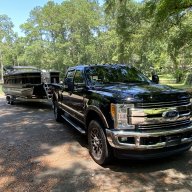
FYI: Search for the posts about how to post pictures. Trying to compress and post just doesn't work well, and a totally useless expectation for those on mobile devices.
Here is what I do based on advice from others on this site:
1) Upload pictures to Photobucket - had to start up a free account.
2) Click on picture in Photobucket; click on upload/copy options, click on "direct" copy option, not the other three options
3) In my Bennington forum post, click on the "Insert other media" button on the bottom left of your post just above the "Submit Reply" button
4) Choose "Insert Image from URL" option
5) Paste Photobucket link into the space provided and click "Insert into post"
A silly process involving way too many steps, but it gets the job done. There are also ways to do it from your forum "Gallery". At least for me, trying to post pictures to my "Gallery" on my mobile devices just doesn't work.
Unfortunately, I do all pictures, social media from moble devices. I haven't used our desktop or my laptop for such things in years.